
T-Shirt Printing in Singapore:
Ultimate & Simple Guide (Methods, Design & Materials)
Find the right t-shirt printing solution with our simple, usage-based guide. Whether it’s for events, uniforms, sports, or retail merchandise, choosing the right material, fabric thickness, and printing method plays a big role in print quality, durability, comfort, and cost.
With multiple t-shirt printing methods available—such as silkscreen, heat transfer, embroidery, and sublimation—each option delivers different results depending on design complexity, order quantity, and intended use. This guide helps you quickly understand these differences so you can make the right choice with confidence.
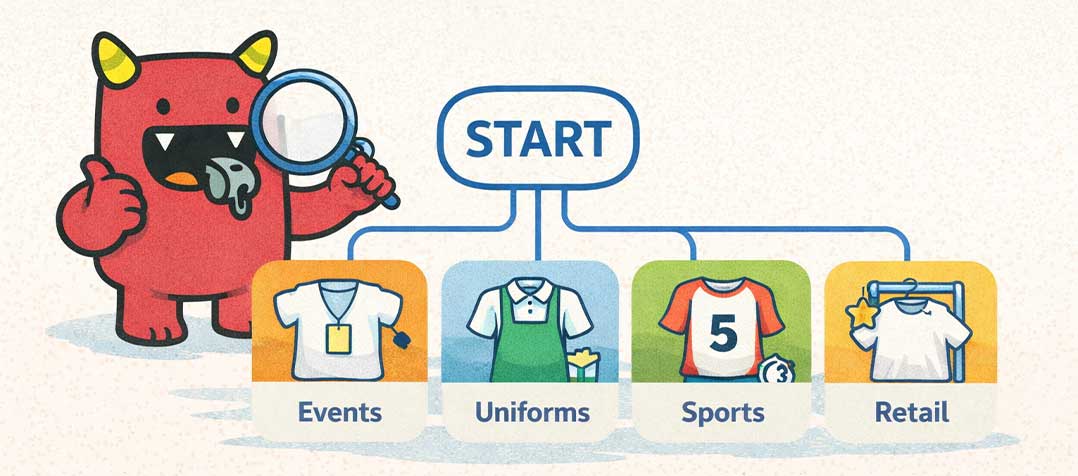
Step 1: Determine your usage purpose of the t-shirt
share your usage purpose so we can give you our best recommendations on which type of t-shirt to use!
1. Event usage (budget)
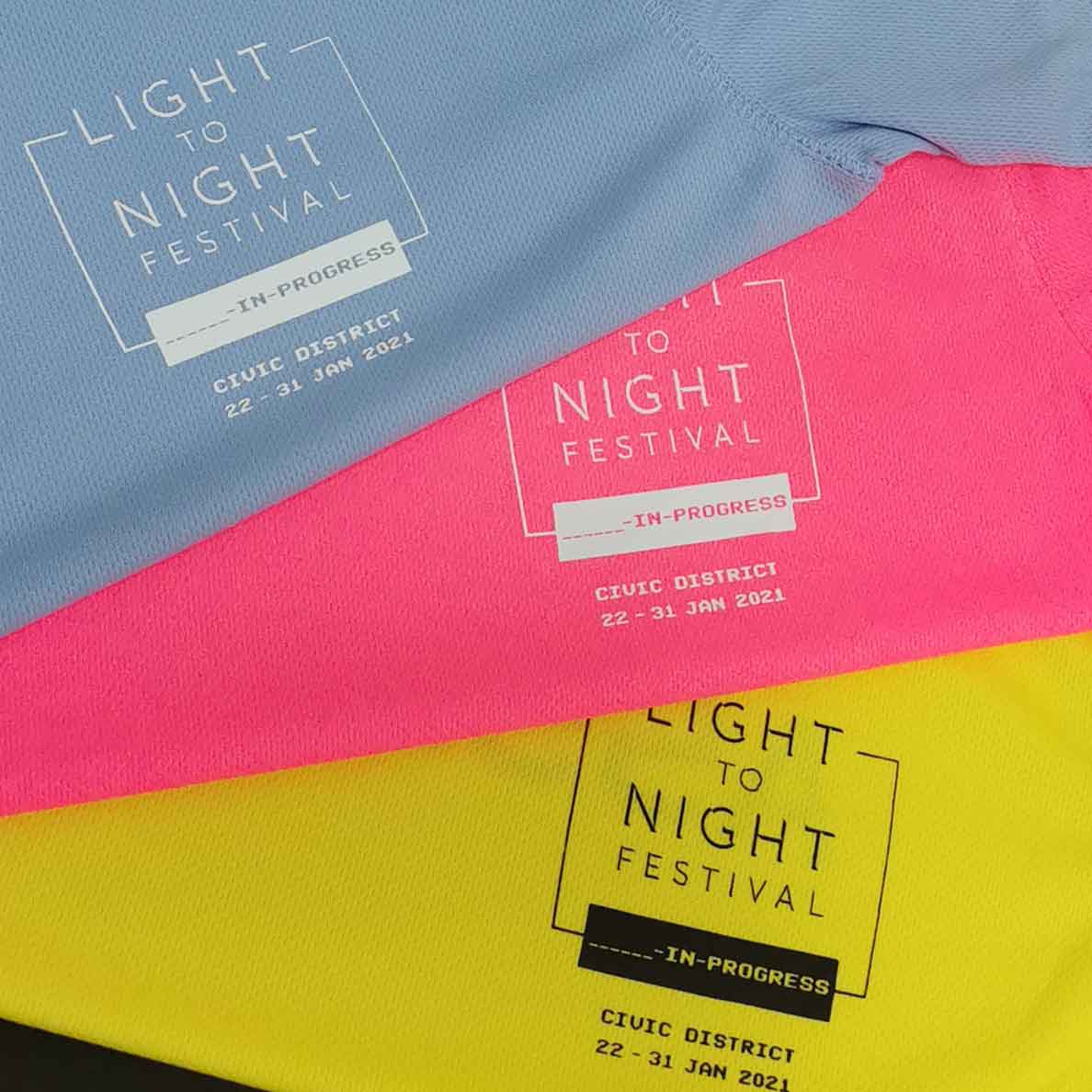
BASIC
Fast lead time 3-5working days (silkscreen / DTF transfer print)
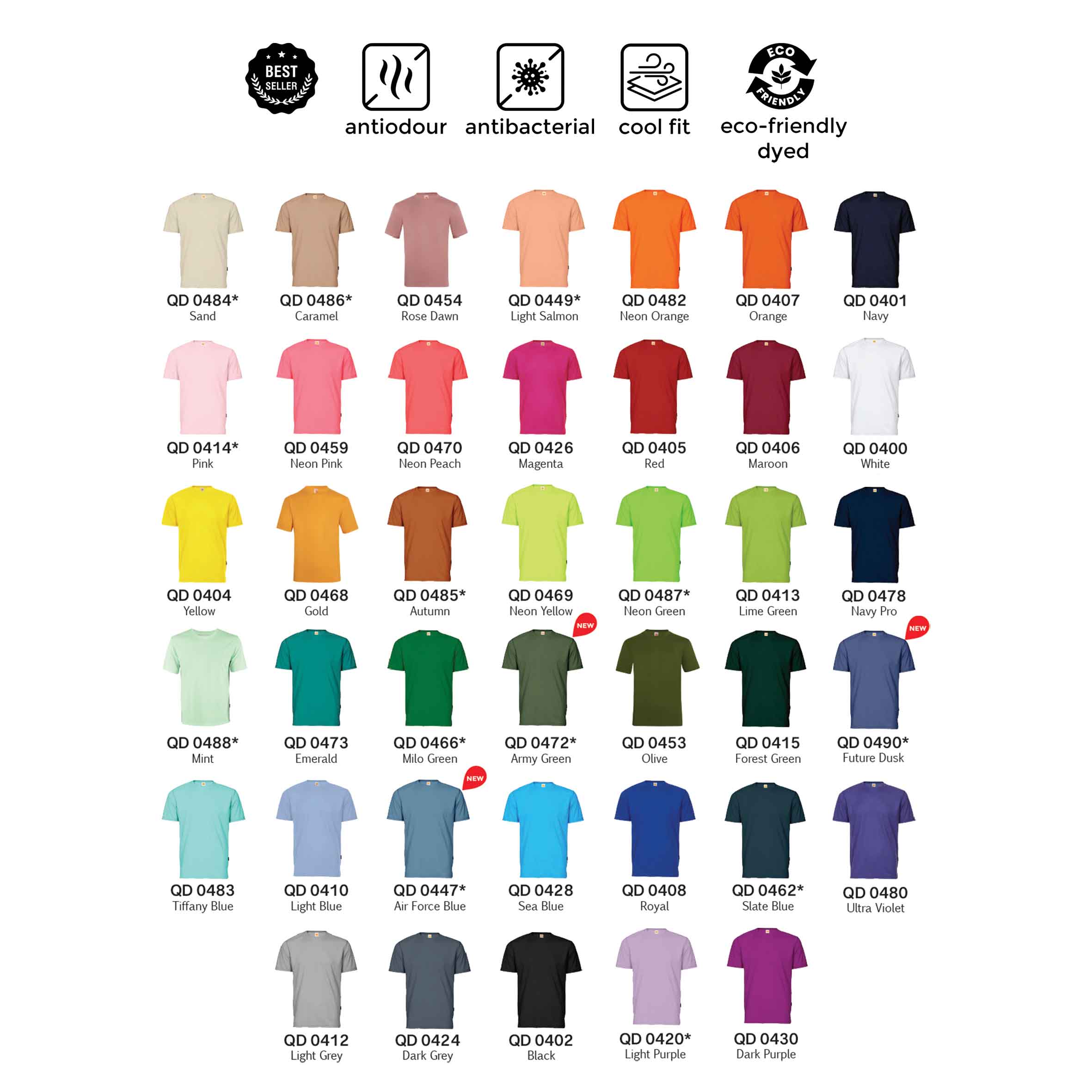
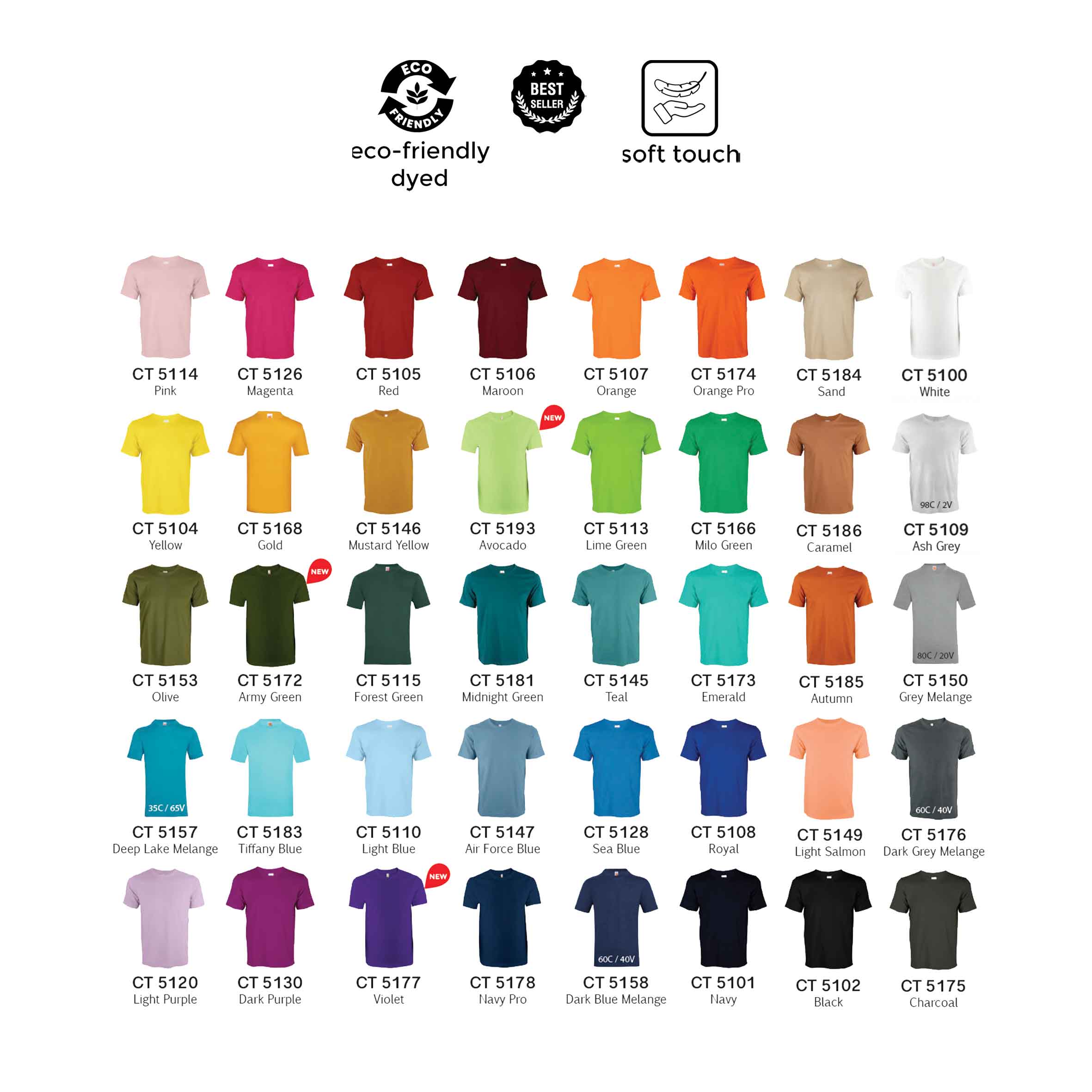
More customization required?
CUSTOM
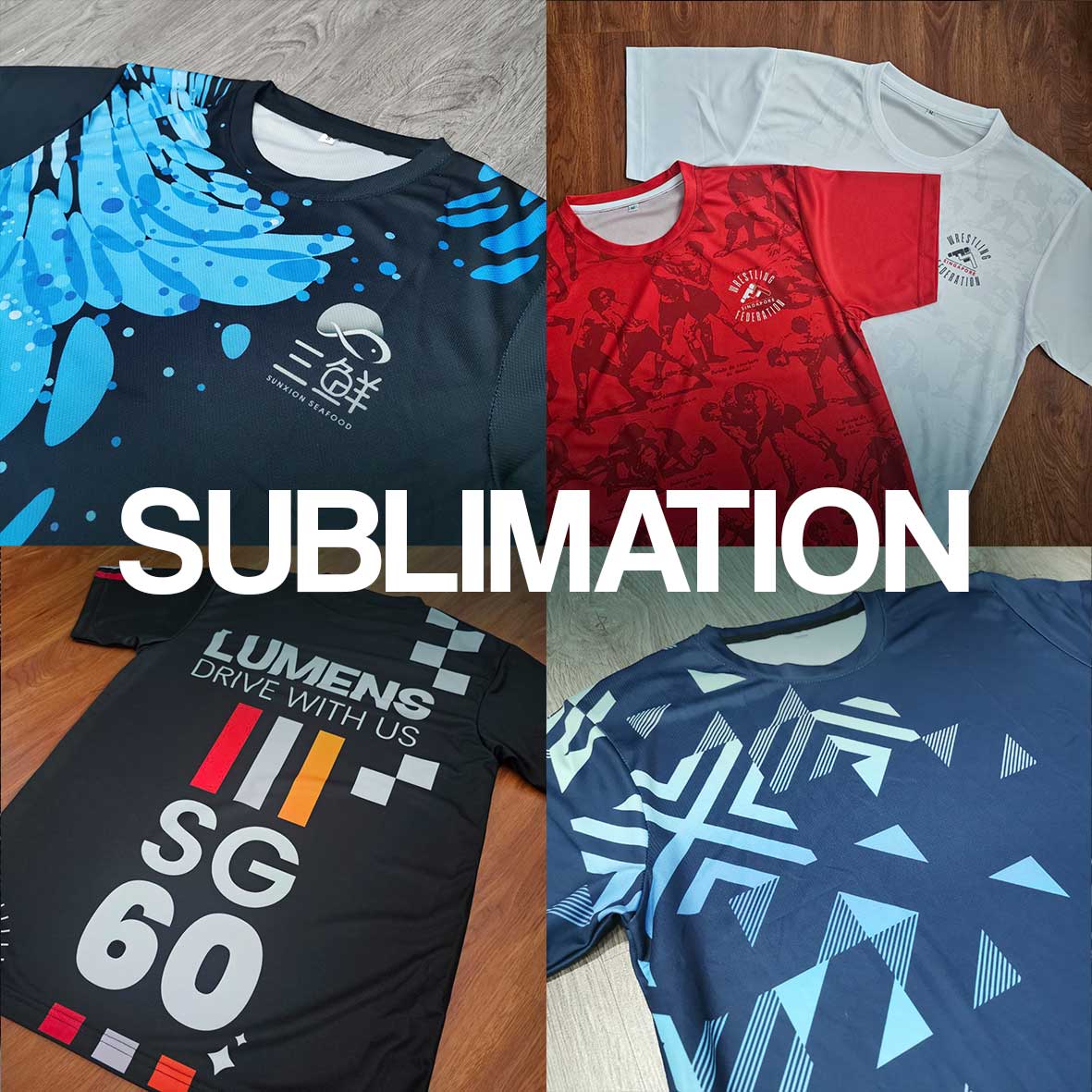
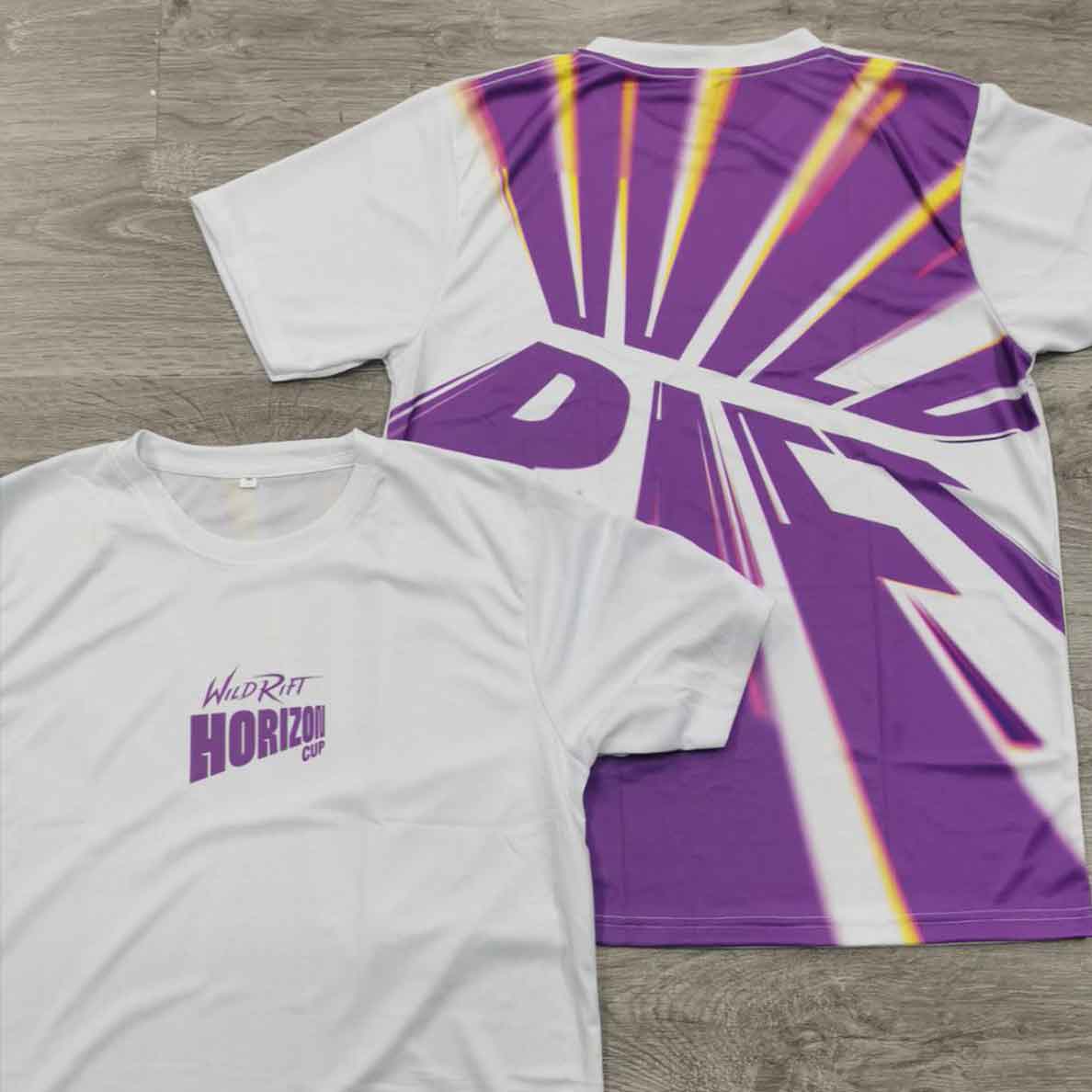
For designs requiring full edge to edge printing, the best option is sublimation printing on drifit fabrics.
- Polo Tshirt
- Long sleeved
- Raglan style
- Custom fabric colour
(not ready stock, 2weeks lead time required)
2. Uniform (Durability)
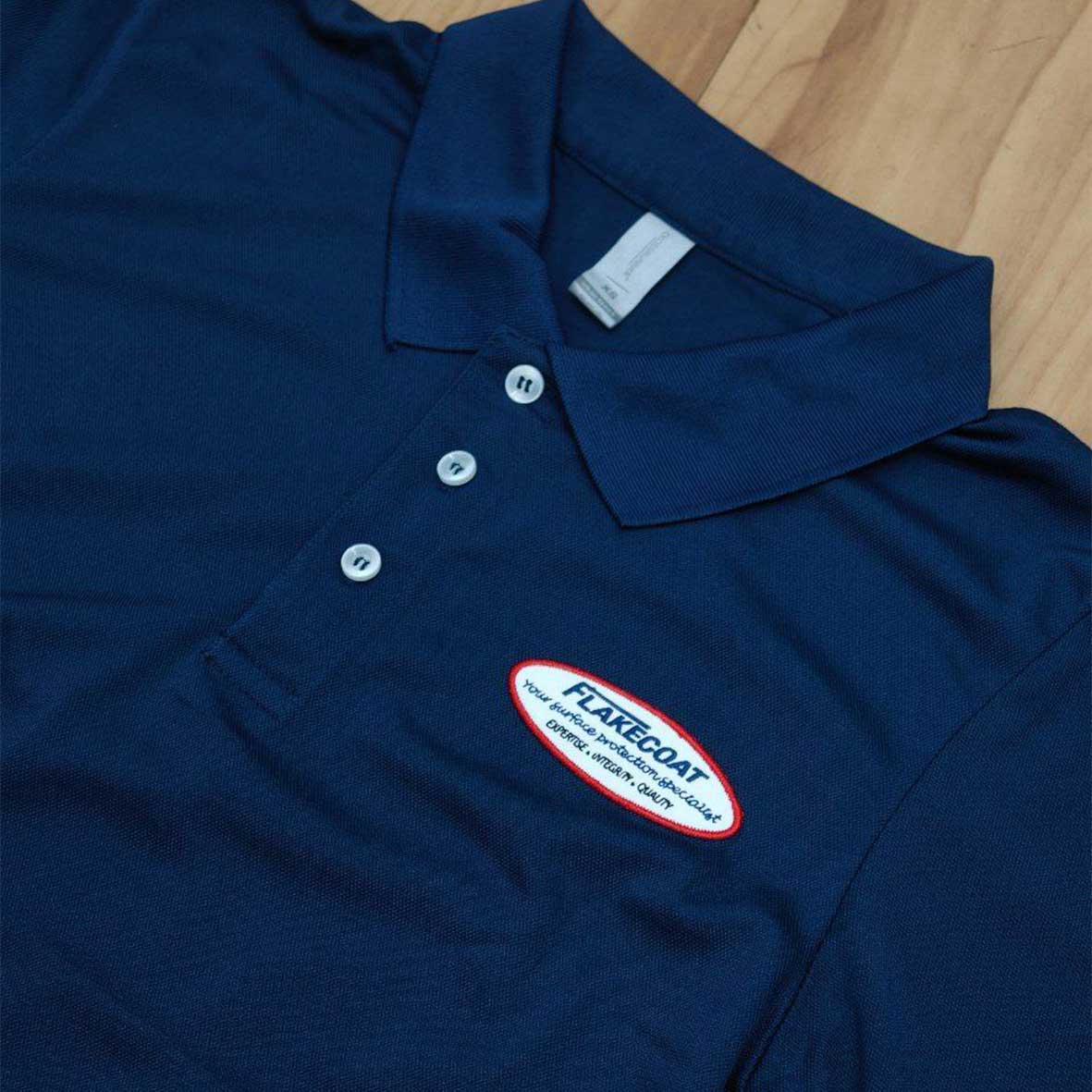
BASIC
Fast lead time 3-5working days
(silkscreen / DTF transfer print)
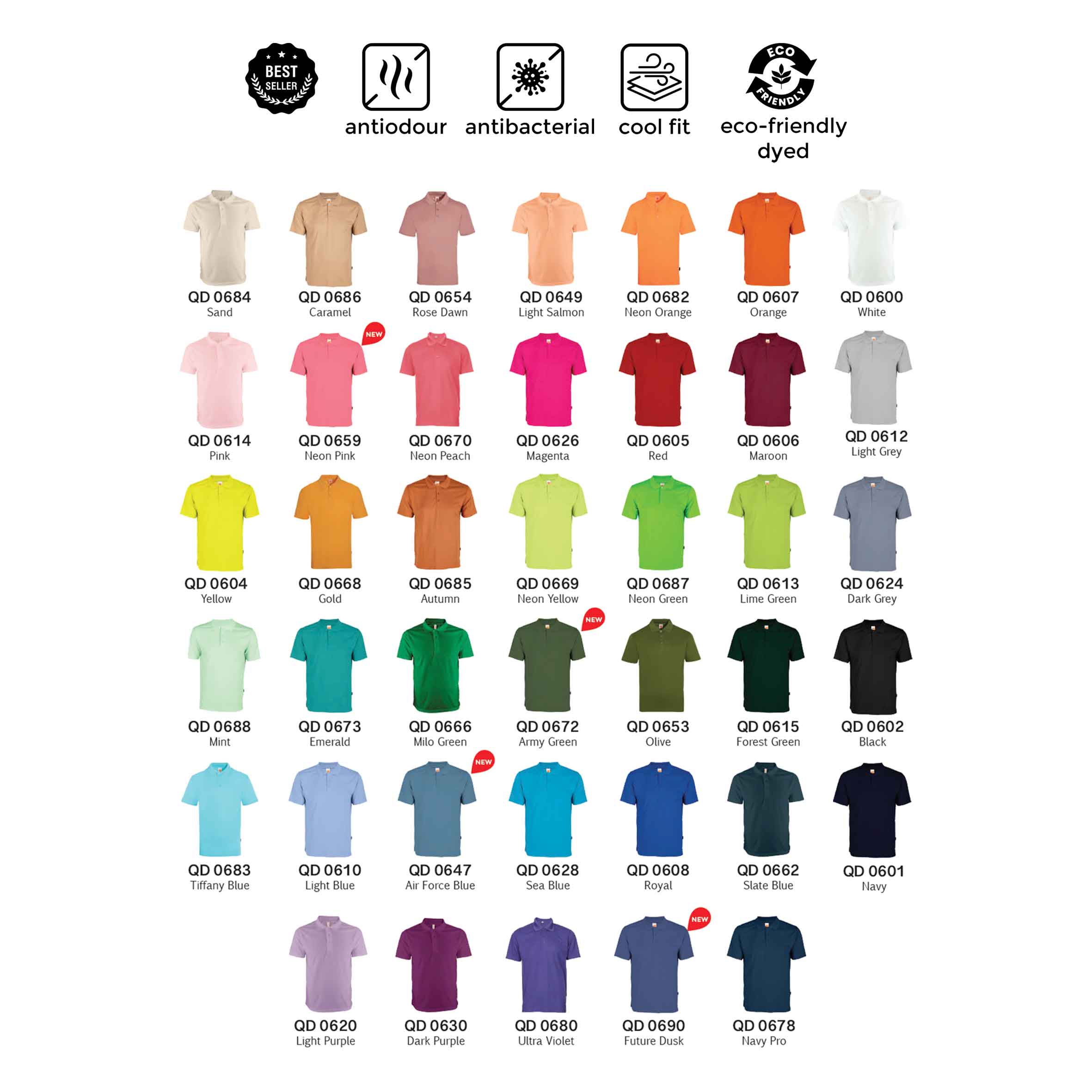
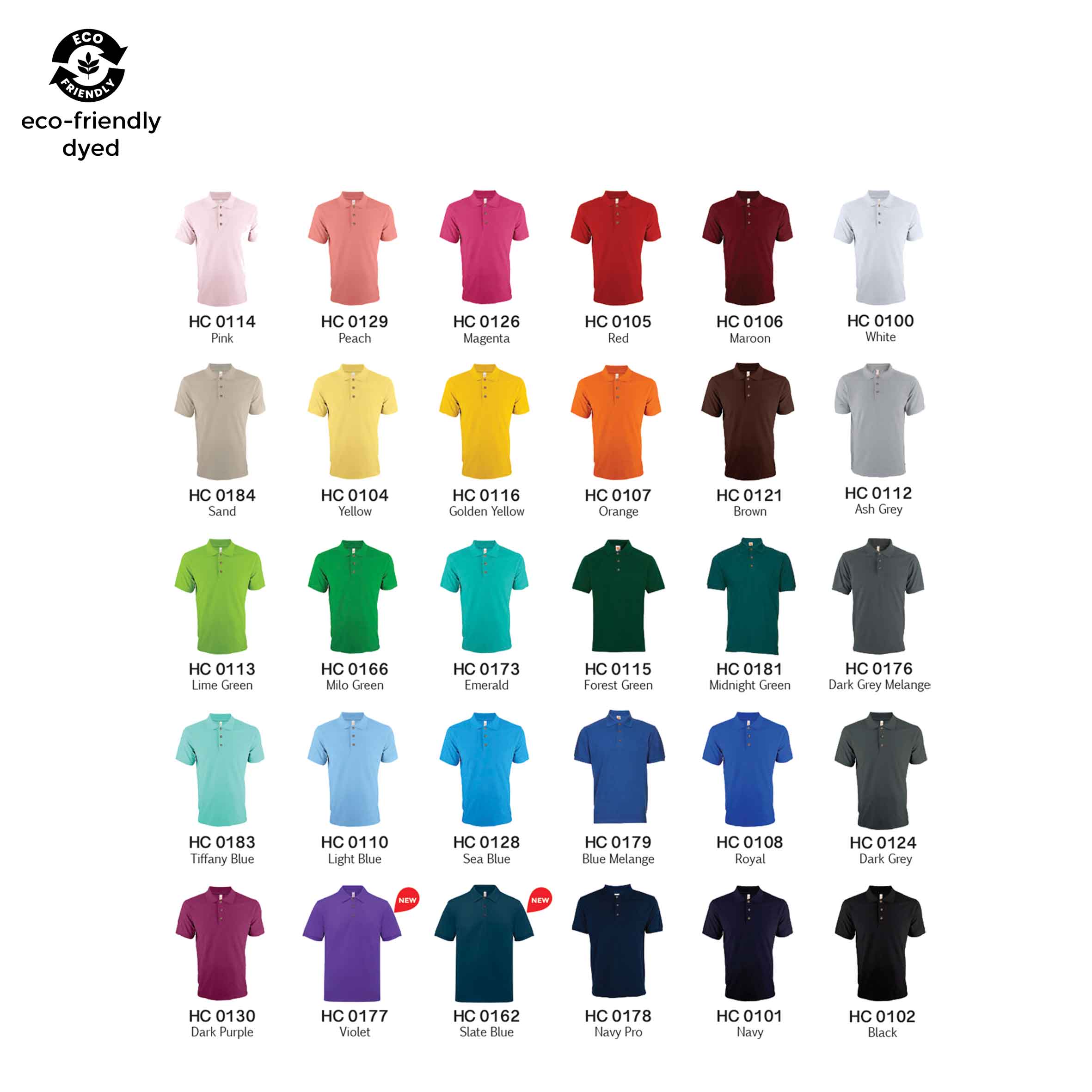
Identity & more customization
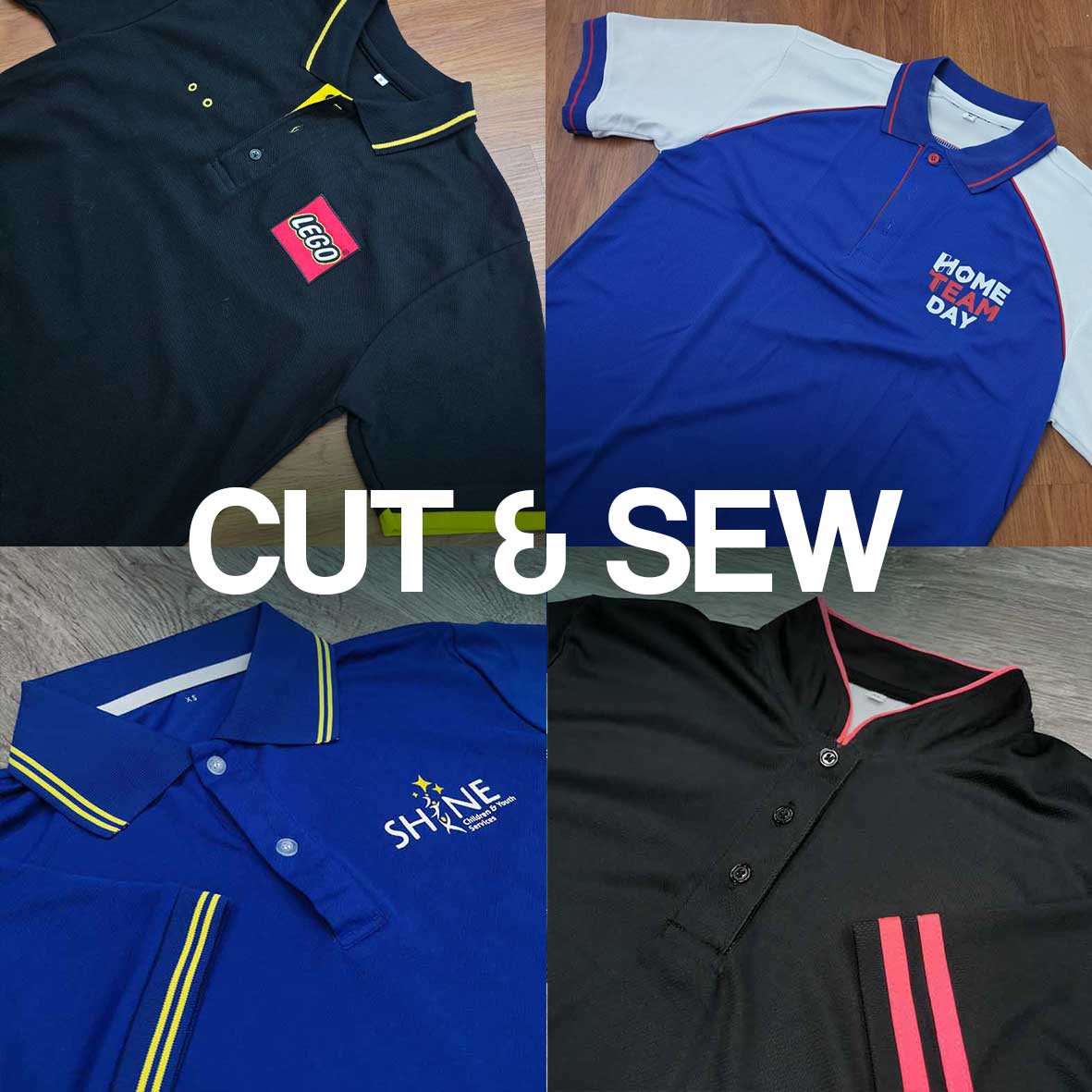
CUSTOM
For additional trimmings and details to create a unique wear for your team
- Mandarin collar
- Long sleeved
- Smart collar
- Reflective safety strips
- Custom fabric colour dye
(not ready stock, 3-4weeks lead time required)
3. Merchandise (Retail)
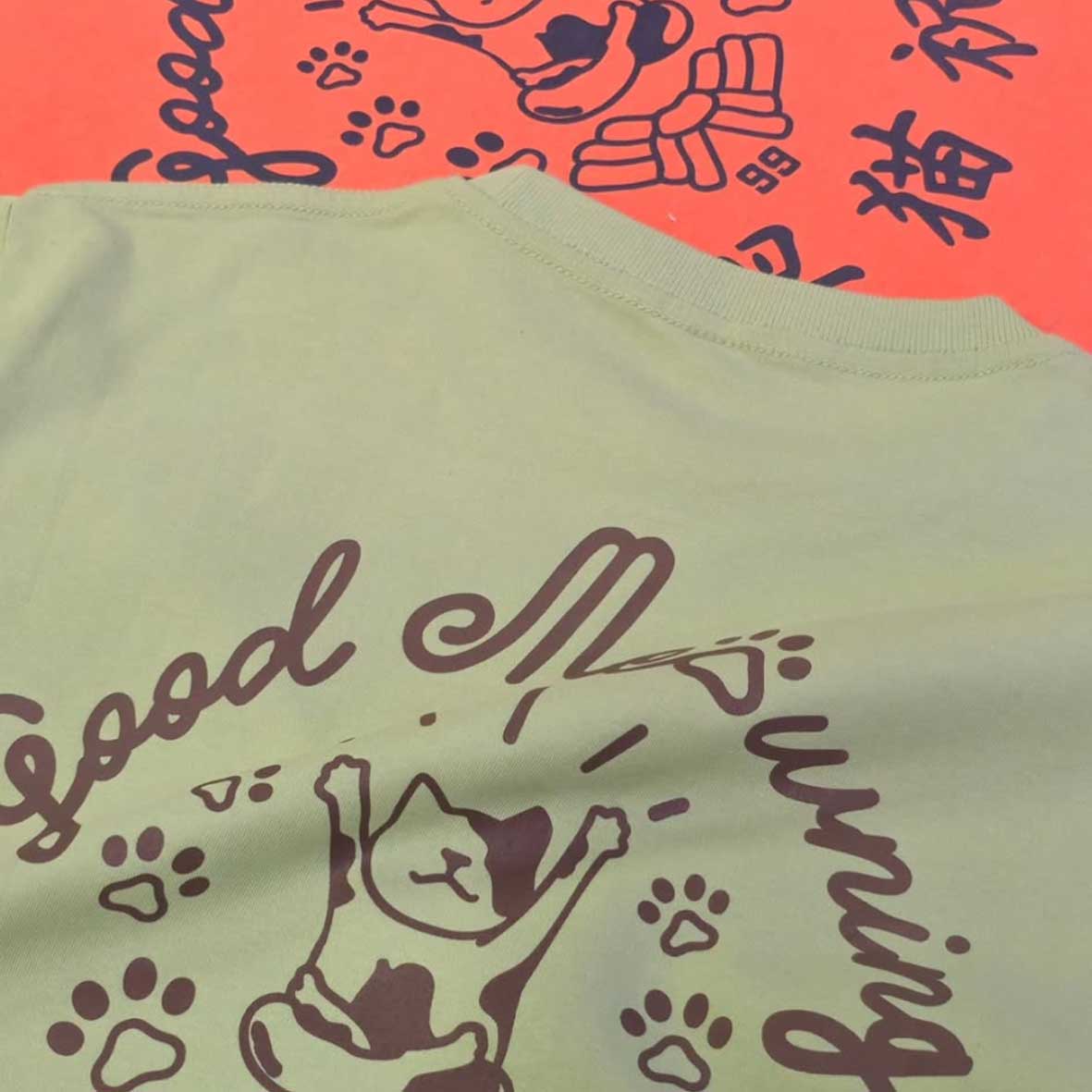
BASIC
Fast lead time 7working days
(silkscreen / DTF transfer print)
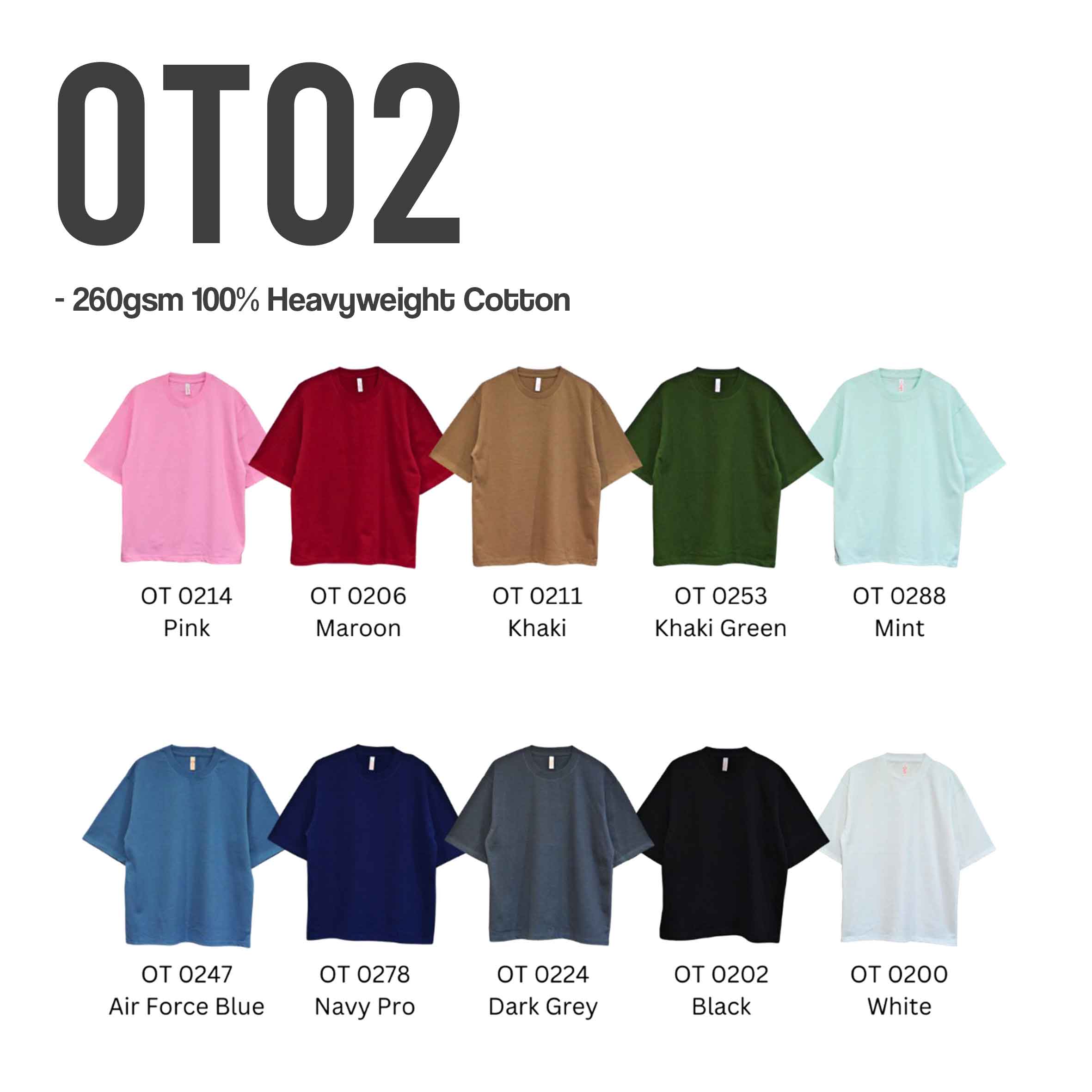
More unique products & fabrics
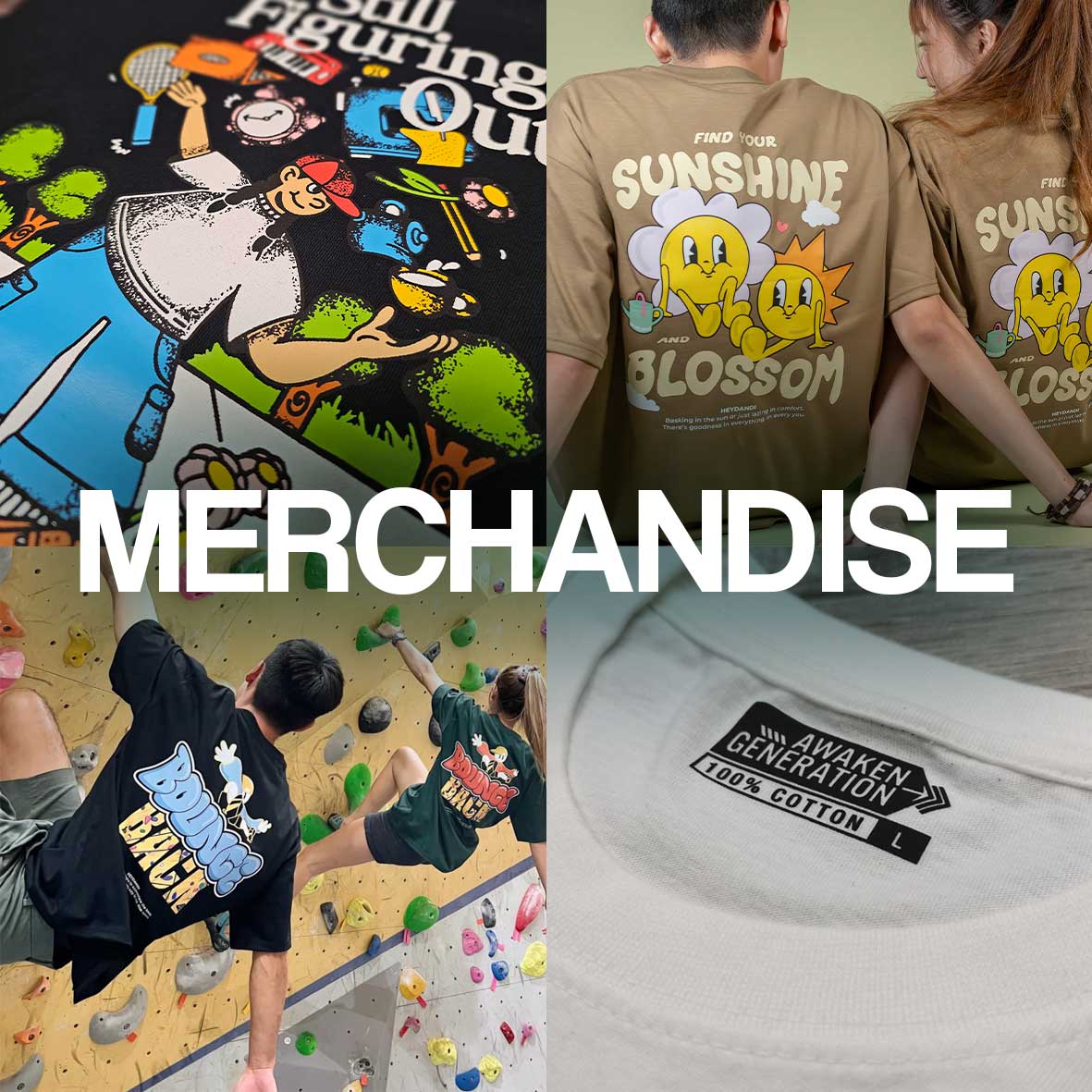
CUSTOM
For branding and additional sewing works
- Custom woven label
- Custom printed label
- Special print effect (embossed / Neon etc)
- Oversized / crop top etc
(not ready stock, 3-4weeks lead time required)
Step 2: Identifying the Right T-Shirt Printing Method
Share with us your design to be printed so we can recommend the print method best suited to bring your designs to life onto a t-shirt!
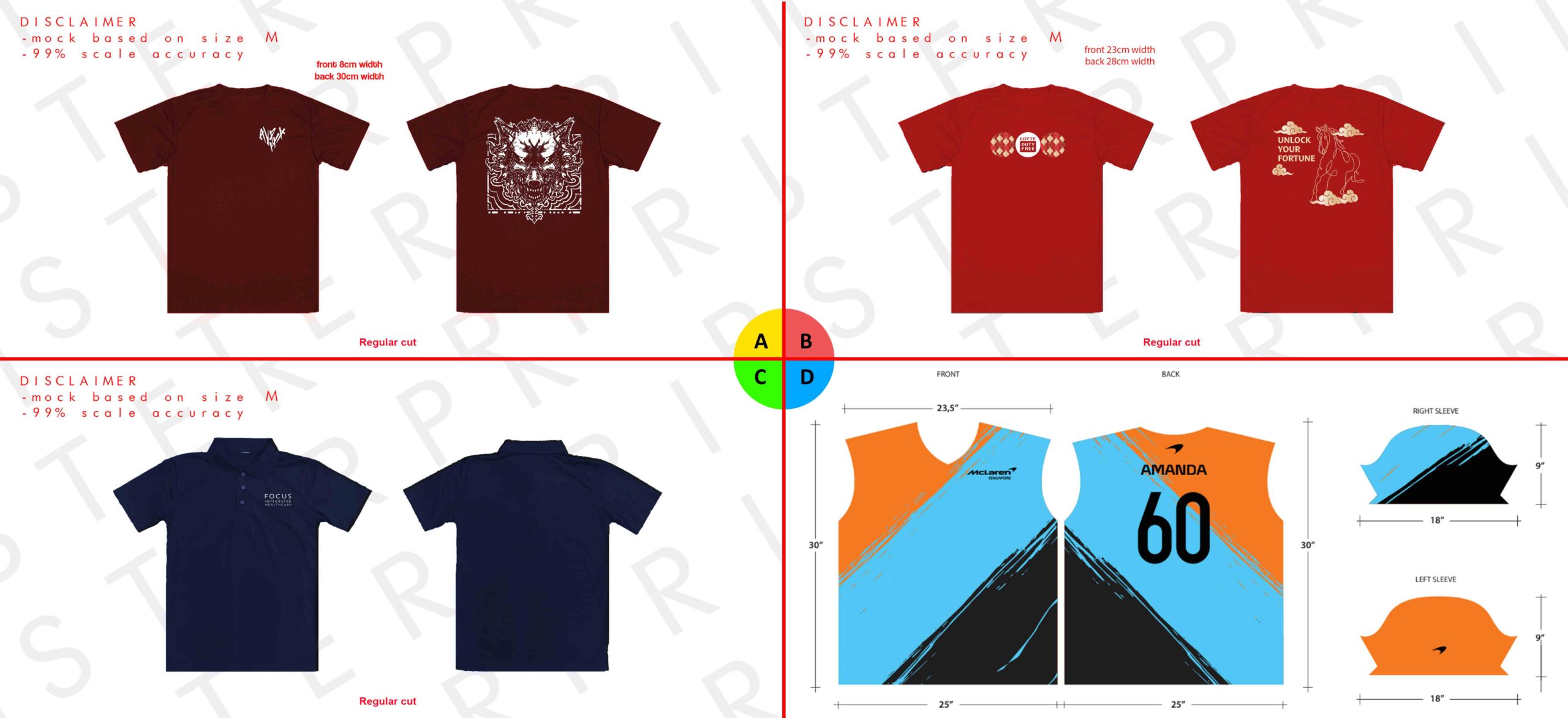
Let us know which example (A–D) best matches your design when requesting a quotation.
✅ Choosing the Right T-Shirt Printing Method
Use the examples above to identify the t-shirt print size, placement, and printing style closest to what you’re looking for. These references help us better understand your custom t-shirt printing requirements and provide more accurate recommendations and quotations.
A 🖨️ Simple one-colour designs on the front and back – Recommended: Silkscreen Printing
B 🎨 Full-colour designs with gradients or detailed artwork – Recommended: Heat Transfer Printing
C 🧵 Clean, professional designs for corporate or uniform wear – Recommended: Embroidery
D 🔥 Complex, edge-to-edge designs covering the entire t-shirt – Recommended: Sublimation Printing
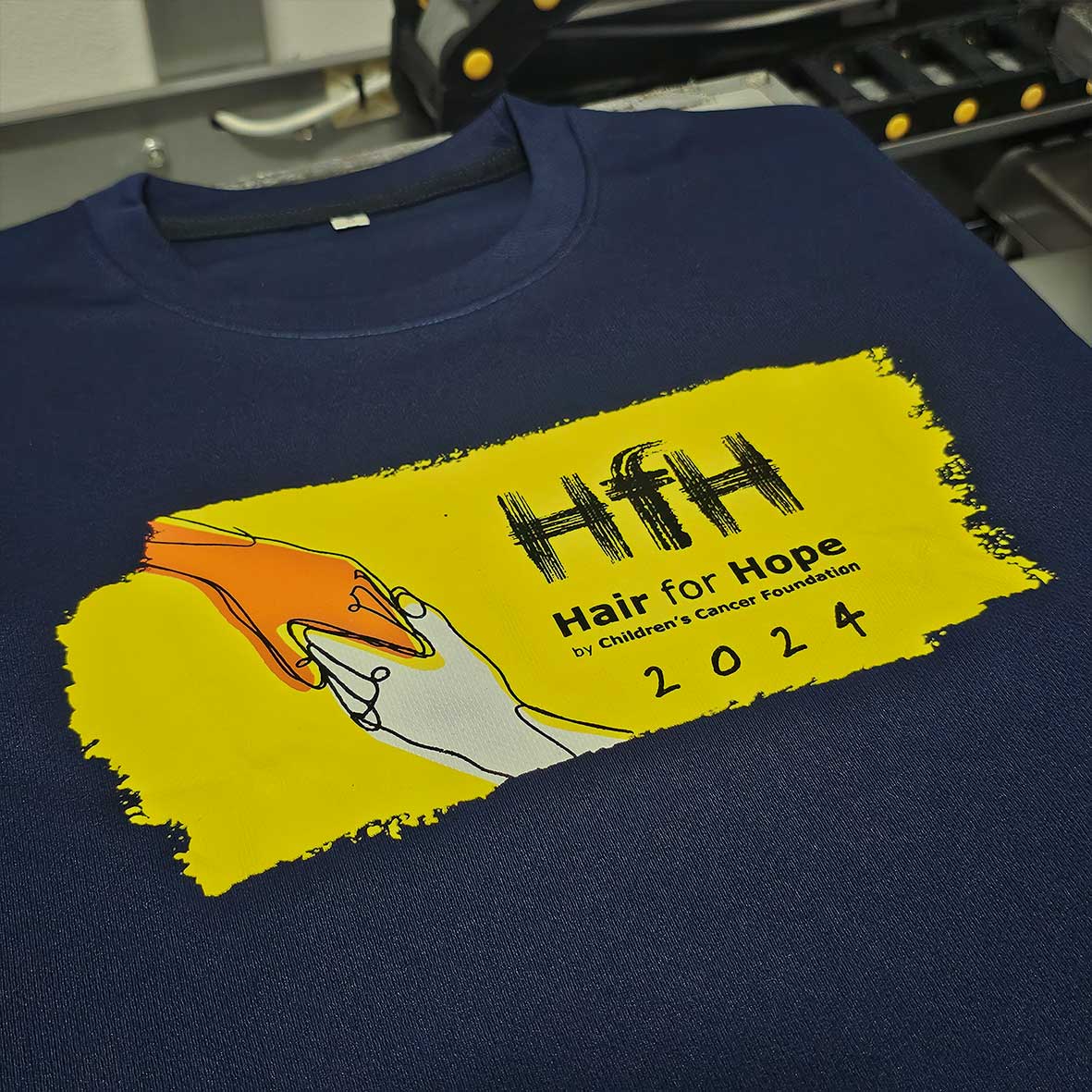
1. Silkscreen printing
Silkscreen printing is a durable, cost-effective method that produces vibrant, long-lasting colours, making it ideal for bulk orders and simple designs, but it is less suitable for small quantities or highly detailed, multi-colour artwork.
Pros: Very durable, vibrant solid colours, cost-effective for bulk t-shirt printing.
Cons: Higher setup cost, not ideal for small orders or complex multi-colour designs.
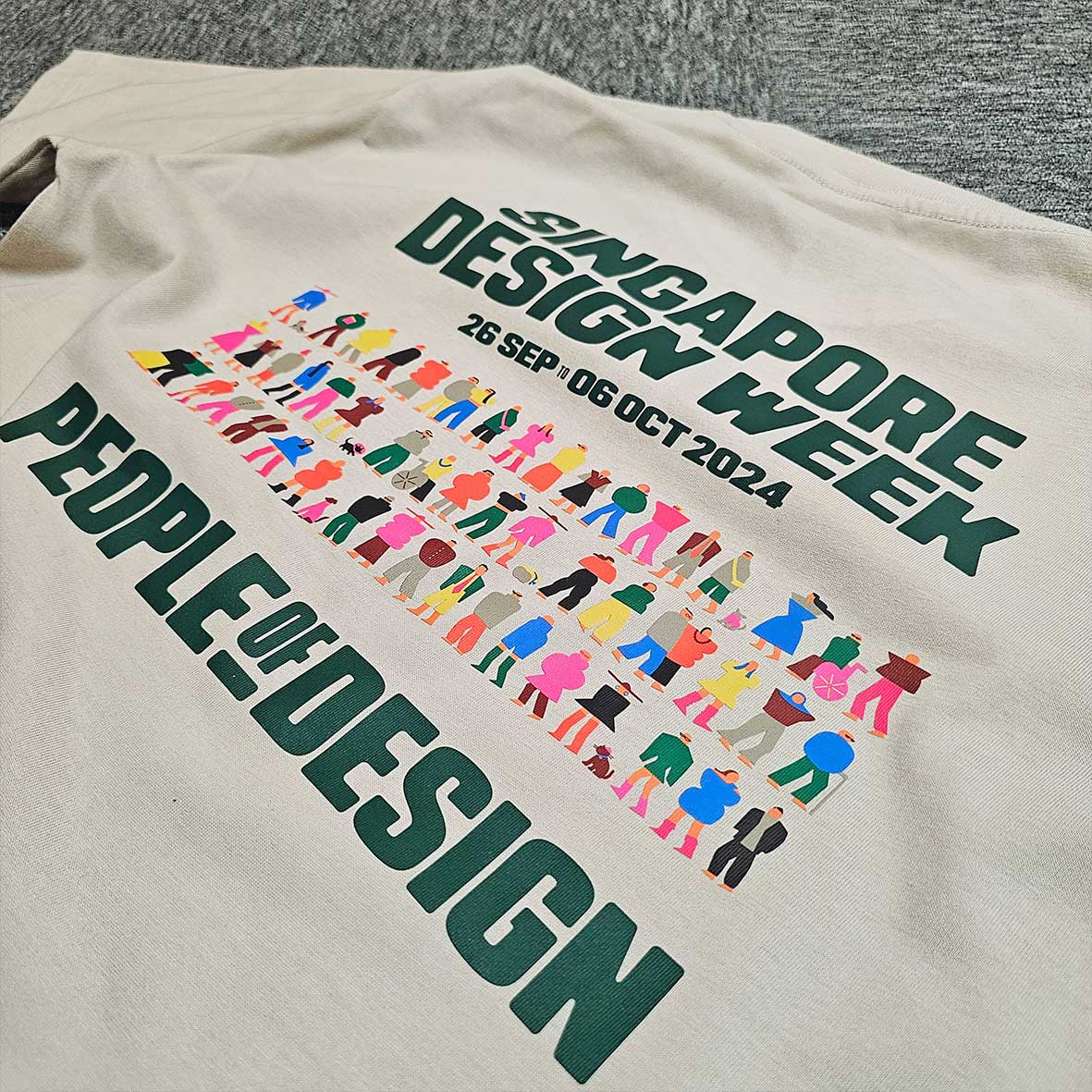
2. Heat Transfer printing
Heat transfer printing is a popular t-shirt printing method for small quantities and full-colour designs, offering flexibility and fast turnaround, though prints may feel thicker and are less durable than silkscreen printing.
Pros: Great for small quantities, full-colour and detailed designs, fast turnaround.
Cons: Print feels thicker on fabric, less durable than silkscreen, may crack over time.
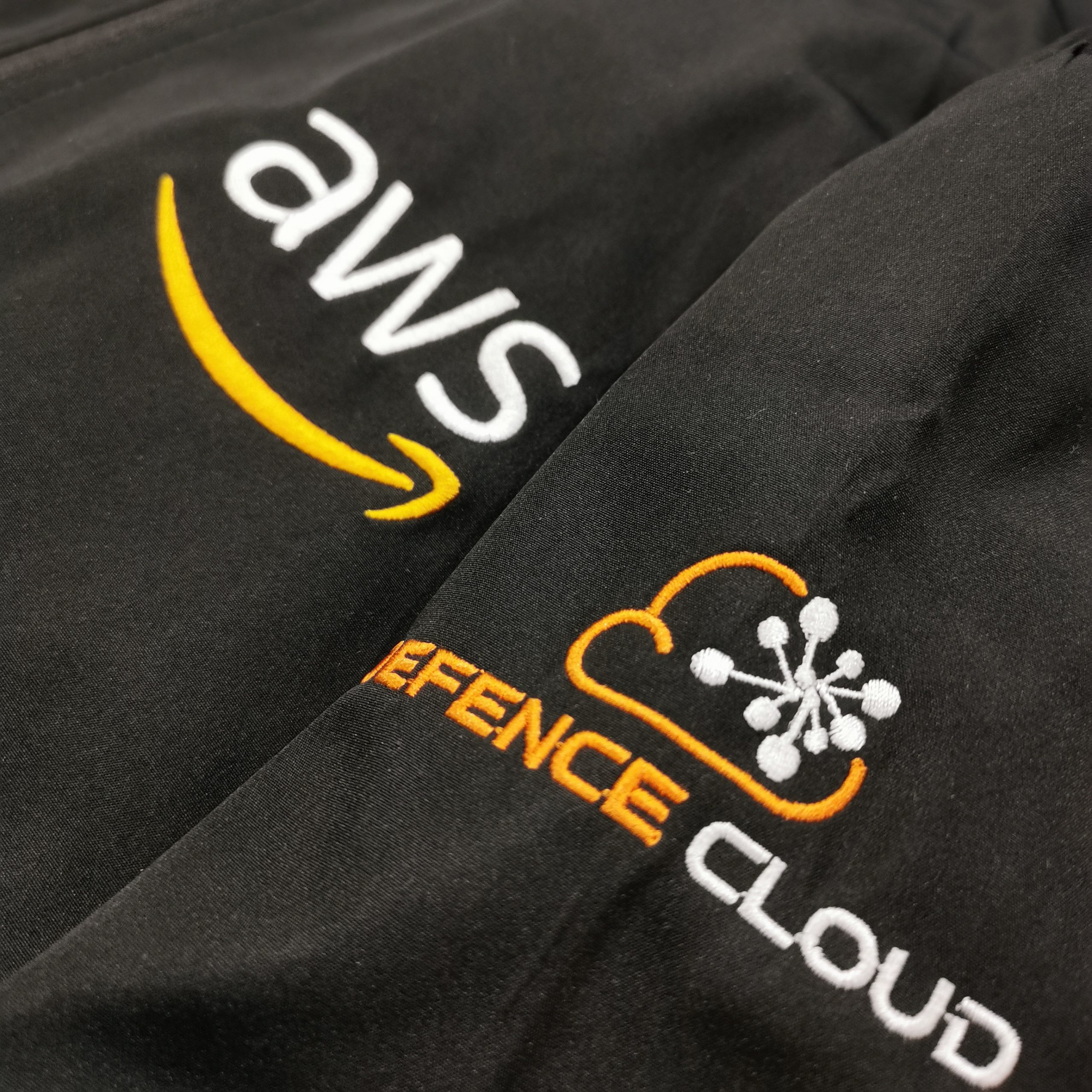
3. Embroidery
Embroidery is a premium t-shirt customisation method that uses stitched threads to create a professional, long-lasting finish, ideal for logos and uniforms, but not suitable for detailed artwork or large print areas.
Pros: Premium, professional look, extremely durable, ideal for logos and uniforms.
Cons: Not suitable for fine details or large designs, higher cost, limited colour blending.
4. Sublimation
Sublimation printing is a t-shirt printing technique that infuses ink into polyester fabric for vibrant, breathable, and crack-free prints, but it only works on light-coloured polyester t-shirts.
Pros: Smooth, breathable, crack-free prints with vibrant colours, no feel on fabric.
Cons: Only works on light-coloured polyester t-shirts, not suitable for cotton garments.
Step 3: Additional finishings to the t-shirt
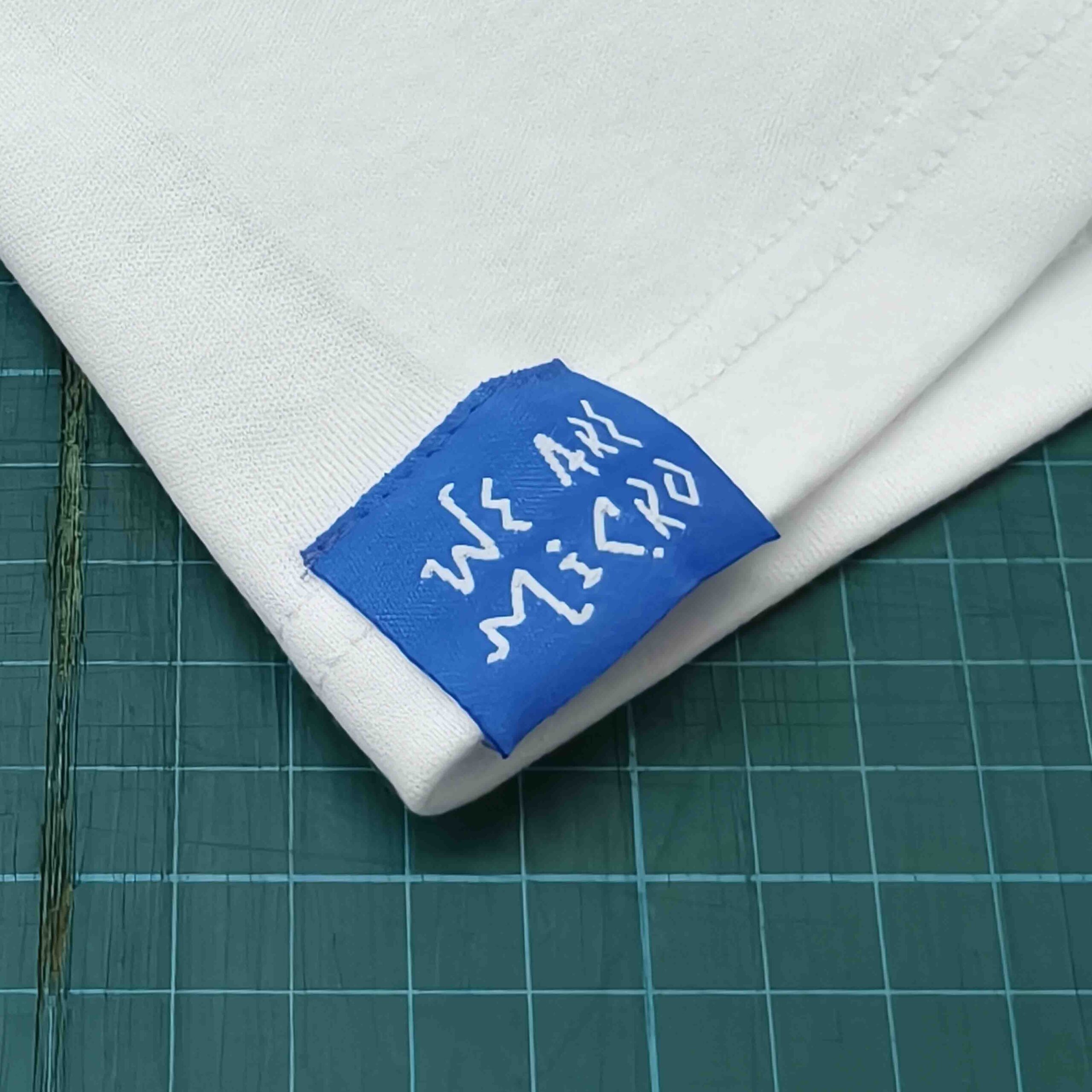
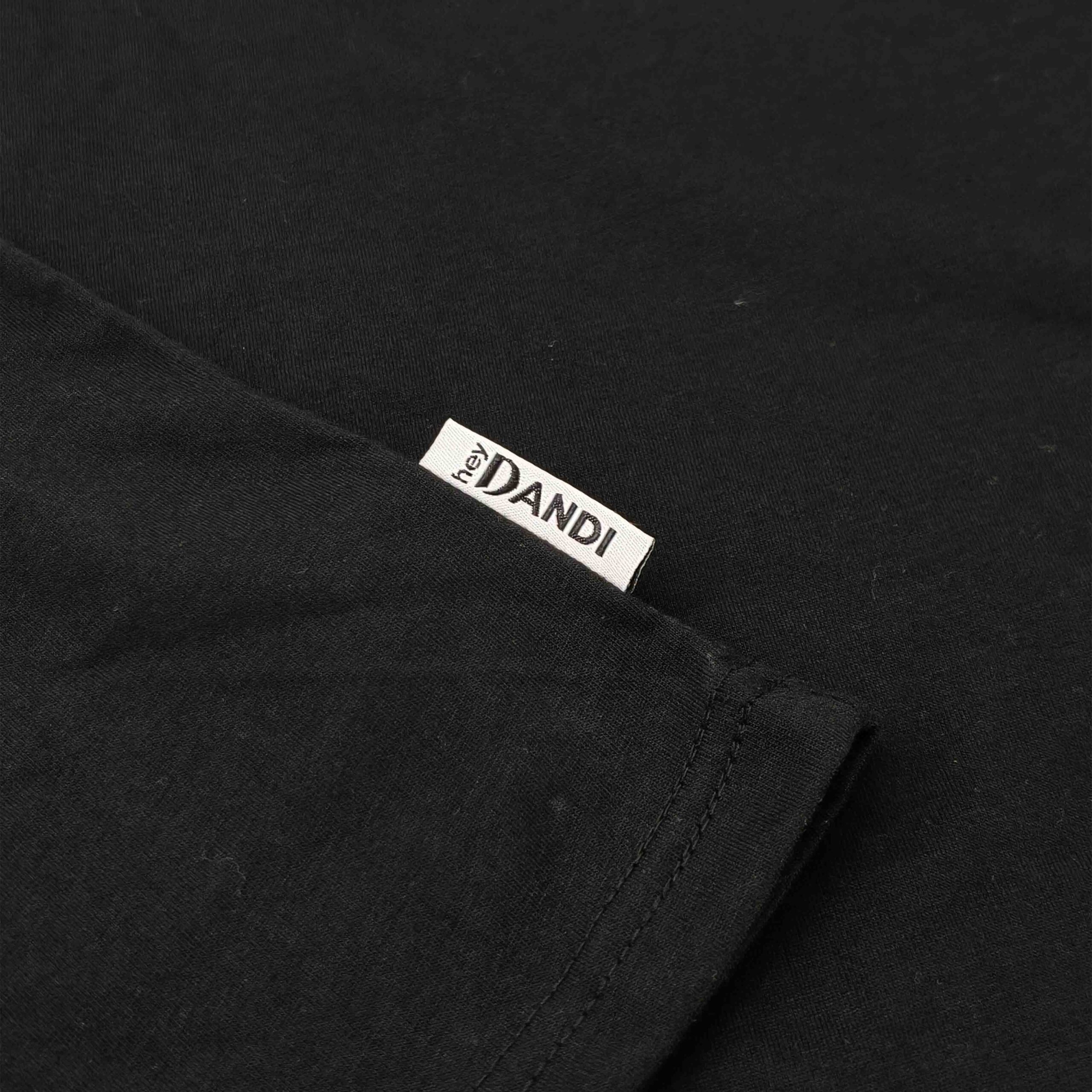
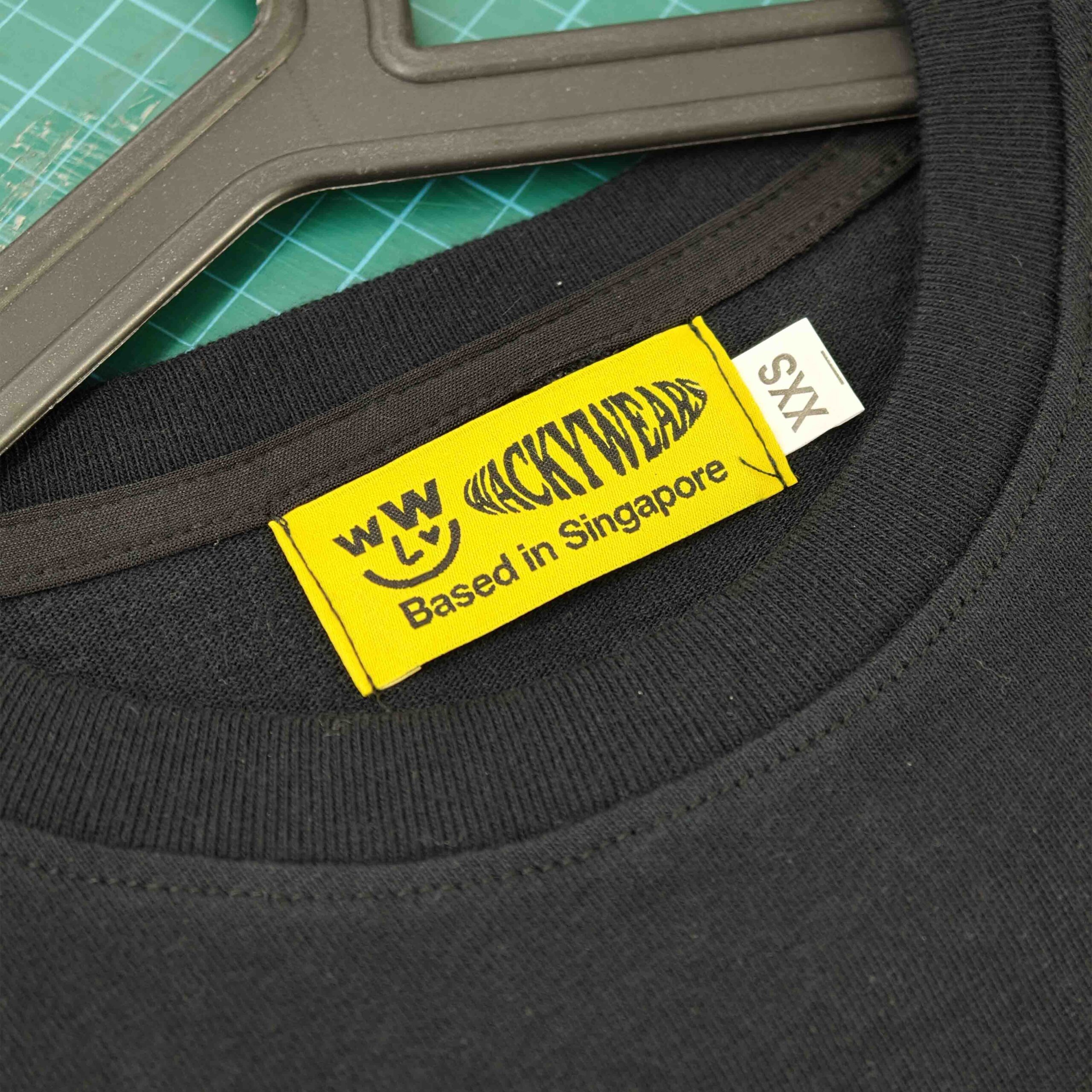
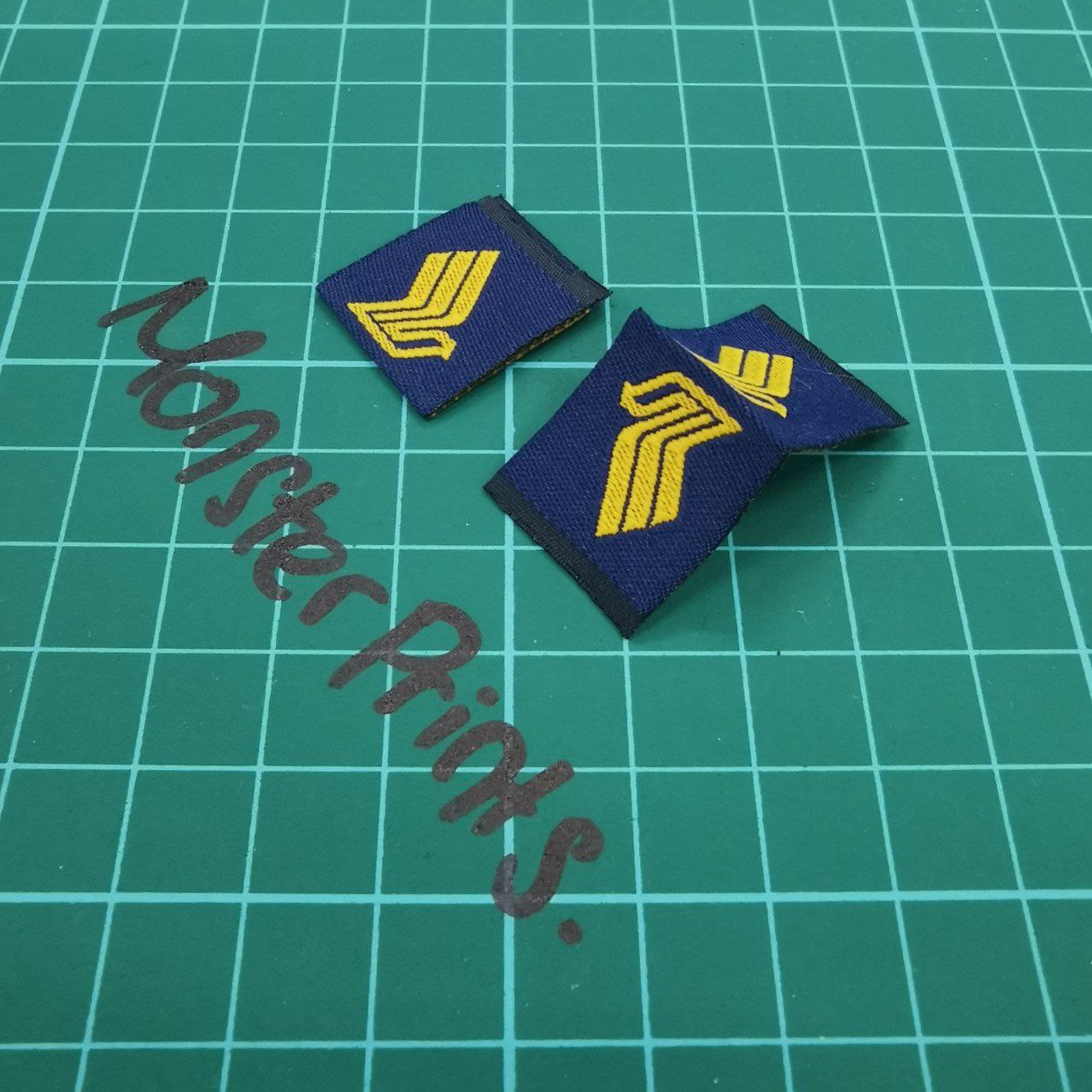
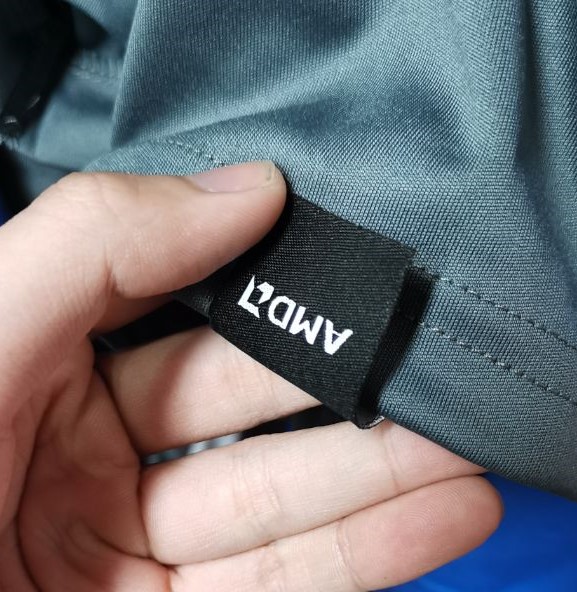
Custom woven label
Custom woven labels are the perfect finishing touch for any apparel brand, giving your clothing a premium, professional look. At MonsterPrints, we produce high-quality woven labels in Singapore with crisp details, durable threads, and fully custom designs. Whether you need brand labels, size tags, care labels, or hem tags, our custom woven labels are built to last and elevate your t-shirt, hoodie, totebag, or streetwear line. Ideal for start-up brands and bulk orders, we offer fast turnaround and affordable pricing for woven labels in Singapore.
-
Brand labels for necklines
-
Size labels
- Hem tags for sleeves and bottom seams



Custom dye
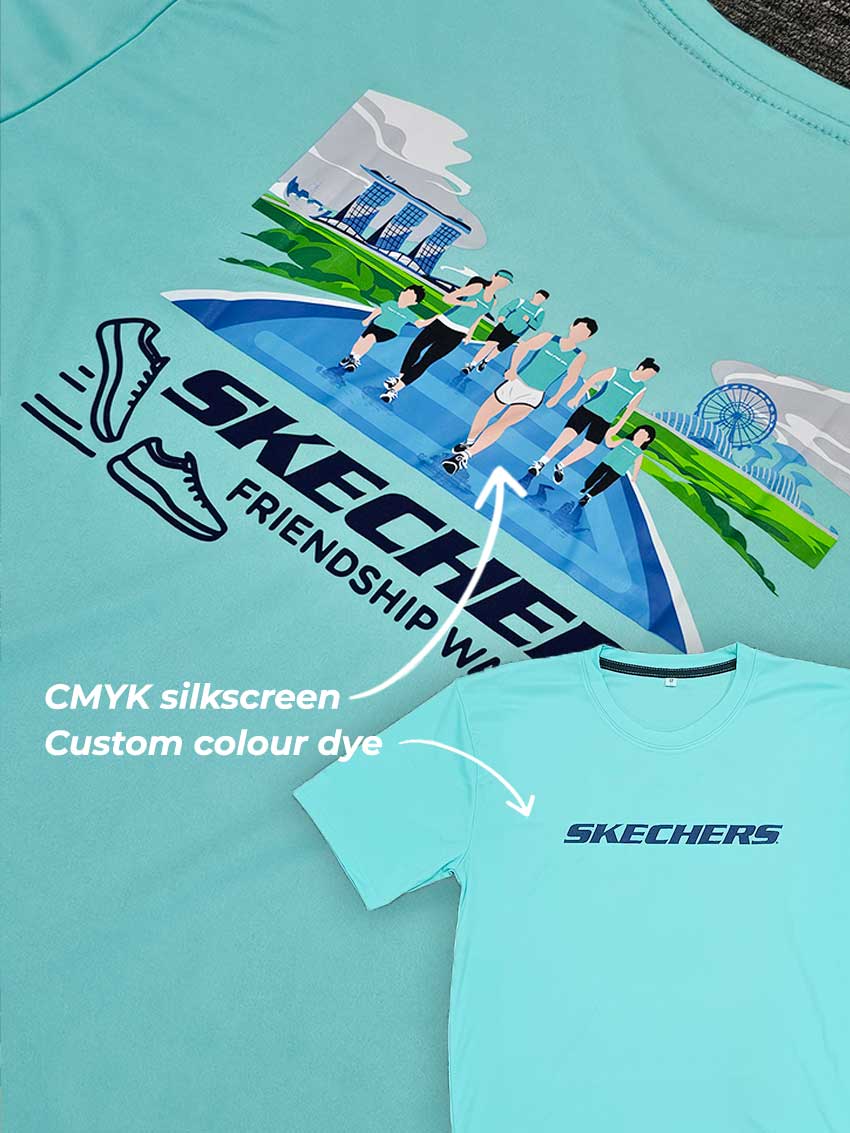
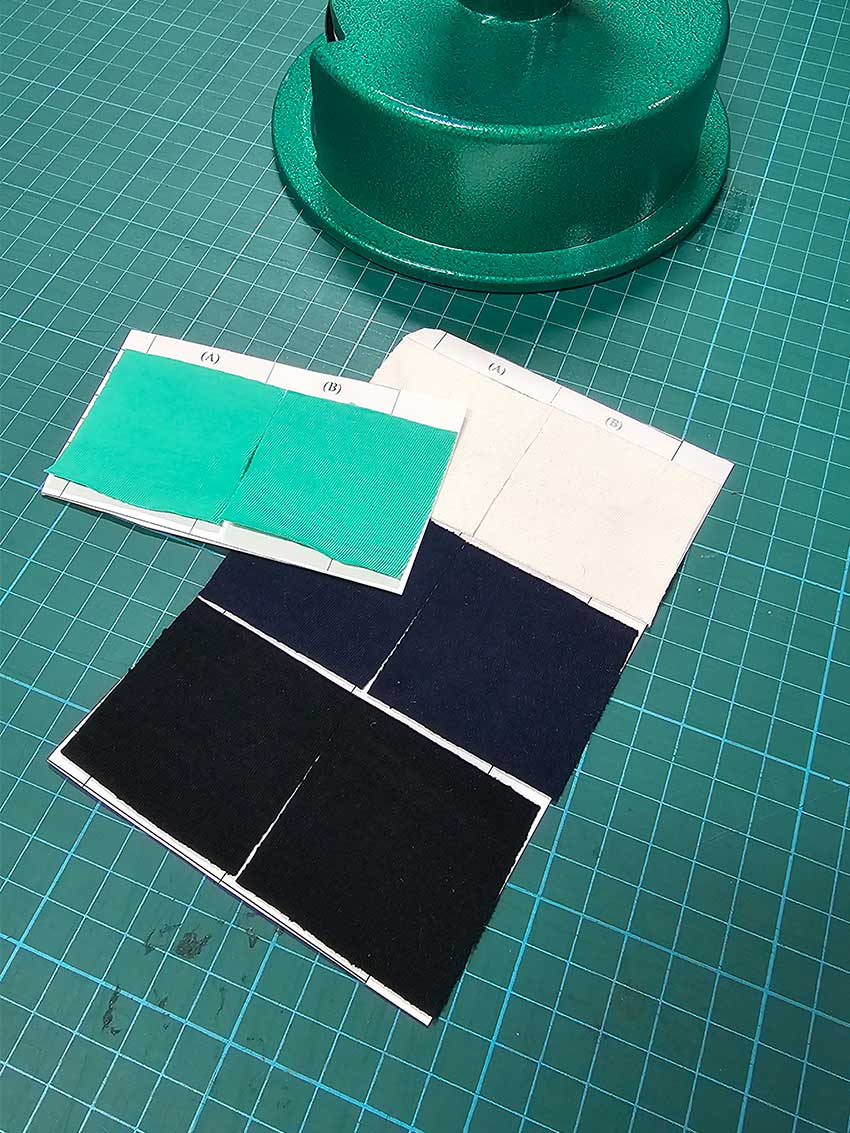
Custom dye services let you create fully personalised fabric colours for your apparel line, matched exactly to your brand’s Pantone code. MonsterPrints offers high-quality custom dyeing in Singapore for t-shirts. However the MOQ for this will be 1,000pcs.
Sublimation printing (only on drifit fabrics)
An alternative for this would be to do full sublimation printing, but limited only to drifit fabrics for sublimation at lower MOQ of 10pcs. For cotton tshirts, only custom fabric dye with MOQ of 1,000pcs can be done
Step 4: Step 4: Prepare Your Artwork Using Our T-Shirt Design Template
If you’re unsure how to use the t-shirt design template,our team can help prepare or adjust your artwork to ensure the best print results.
How to Use the T-Shirt Printing Design Template (Adobe Illustrator / PDF)
This t-shirt printing design template is created to help you prepare artwork accurately for custom t-shirt printing. Designed for use in Adobe Illustrator (AI / PDF format), it allows you to visualise print size, placement, and proportions before production.
1️⃣ Open the T-Shirt Template in Adobe Illustrator
-
Open the file using Adobe Illustrator
-
The template is provided in AI / PDF format
-
Each artboard represents a different t-shirt style and cut, such as roundneck, polo, oversized t-shirts, and raglan sleeves
2️⃣ Select the Correct T-Shirt Style
Choose the artboard that matches the t-shirt you are printing:
-
Roundneck t-shirts
-
Polo t-shirts
-
Oversized t-shirts
-
Raglan t-shirts
-
Short sleeve or long sleeve options
Use one artboard per design to ensure accurate t-shirt printing results.
3️⃣ Place Your Artwork for T-Shirt Printing
-
Insert your design within the front and/or back print areas
-
Keep artwork inside the t-shirt outlines provided
-
Do not resize or modify the template outlines
-
Use the template strictly as a print size and placement guide
Artwork placed outside the outline may be cropped during printing.
4️⃣ Sleeve & Additional Print Areas
If your custom t-shirt design includes:
-
Sleeve printing
-
Side or shoulder prints
Place the artwork within the corresponding sleeve outlines shown in the template.
5️⃣ Artwork Guidelines for Best Print Results
For high-quality t-shirt printing:
-
Convert all text to outlines
-
Use vector artwork where possible
-
Ensure images are at least 300 DPI
-
Avoid extremely thin lines below 1–1.5mm
-
Use CMYK colour mode when required
6️⃣ Do Not Modify the Template Structure
Please do not:
-
Change artboard sizes
-
Edit or move the t-shirt outlines
-
Scale the template
-
Remove reference markings
The template is scaled to maintain print accuracy.
7️⃣ Save & Export Your T-Shirt Artwork
Before submitting:
-
Remove unused layers
-
Keep only the artboard(s) you are using
-
Save your file as:
-
AI or PDF (preferred)
-
High-resolution PNG if requested
-
8️⃣ Submitting Artwork for Custom T-Shirt Printing
When sending your design:
-
Specify the t-shirt type and size
-
Indicate front, back, or sleeve printing
-
Mention the closest template reference if unsure
Our team will review and advise before production.
ℹ️ Important Notes
-
This template is a reference guide for t-shirt printing
-
Final print size may vary across different t-shirt sizes
-
All artwork is checked and confirmed before printing